Shorten links.
See every click.
Self-hosted URL shortening with per-link analytics: referrers, countries, devices, and campaigns. Visitor IPs are never stored.
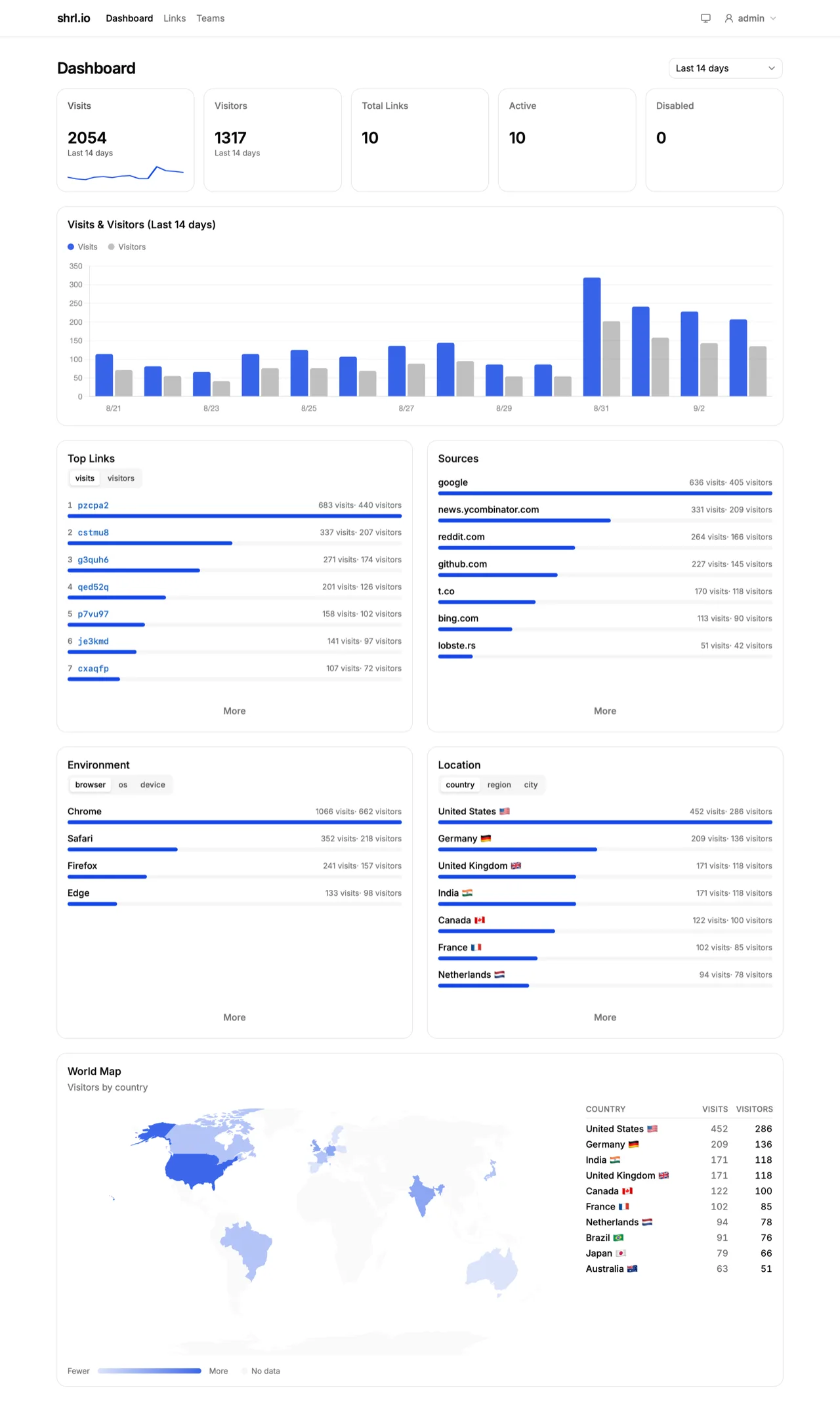
The link is just the start
Create links, measure every click, and manage teams and access — the whole toolkit, on your infrastructure.
Per-link analytics
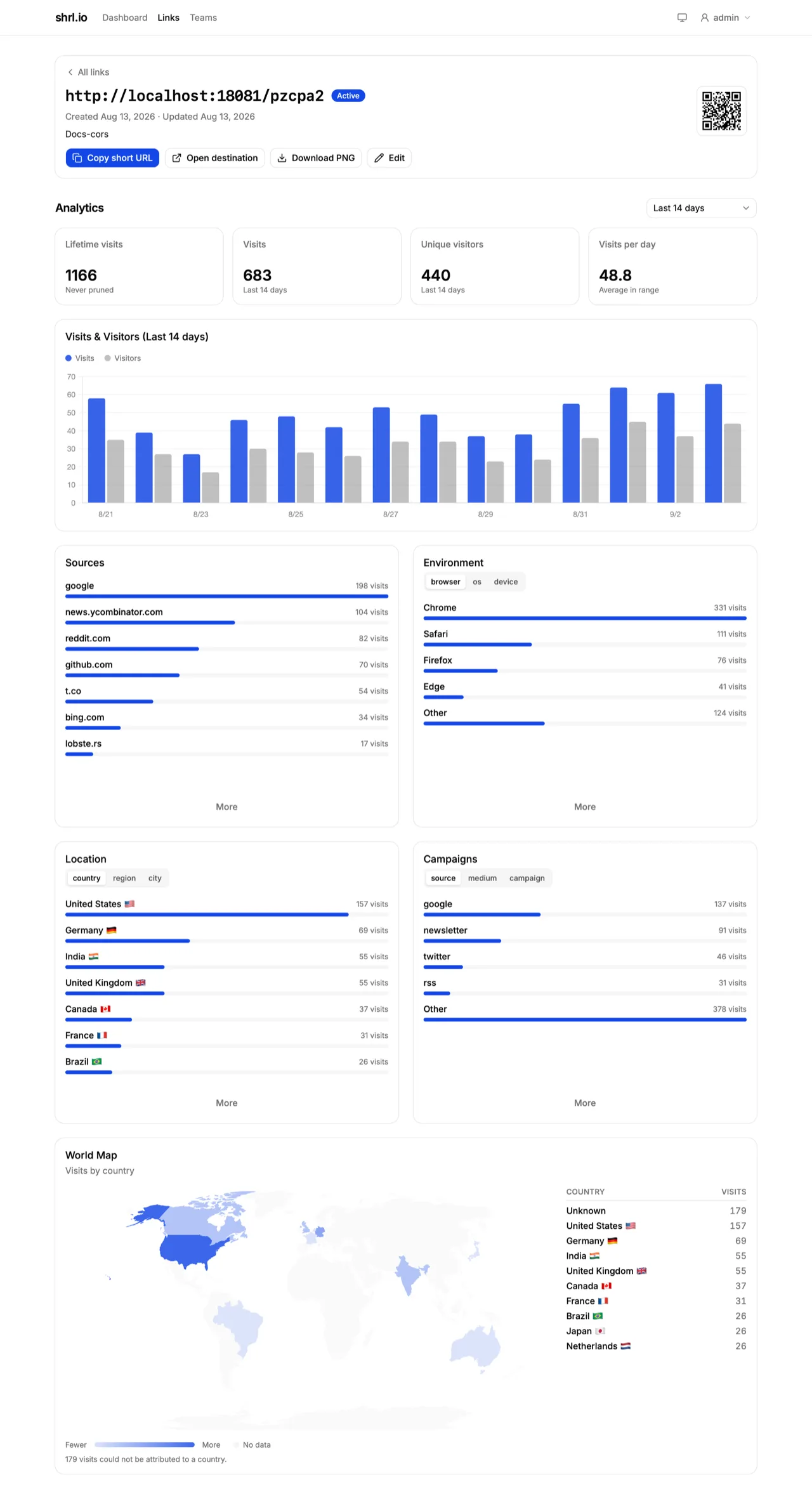
Each link gets its own dashboard: lifetime visits, visits in range, unique visitors, and average visits per day.
- Visits
- 683
- Visitors
- 440
- Per day
- 48.8
Numbers from a real link in the product.
Link management
Codes are auto-generated — lowercase, from an unambiguous alphabet (no 0, O, 1, l) — and
globally unique. Update the destination, disable, enable, or delete; a disabled link
returns 404 but keeps its data.
Users and API keys
No self-registration: an Admin creates accounts. Long-lived API keys let scripts and CI manage links, and an Admin can reset a forgotten password to a one-time value.
Teams
A link belongs to one team or stays personal. Members see team links read-only; owners manage them and invite with single-use codes.
Admin settings
Admins register the Base URLs, set the instance-wide code length (4–12), and manage users and teams.
QR codes included
Every link's detail page renders a QR code in the browser — download a 1024px PNG, no server round-trip.
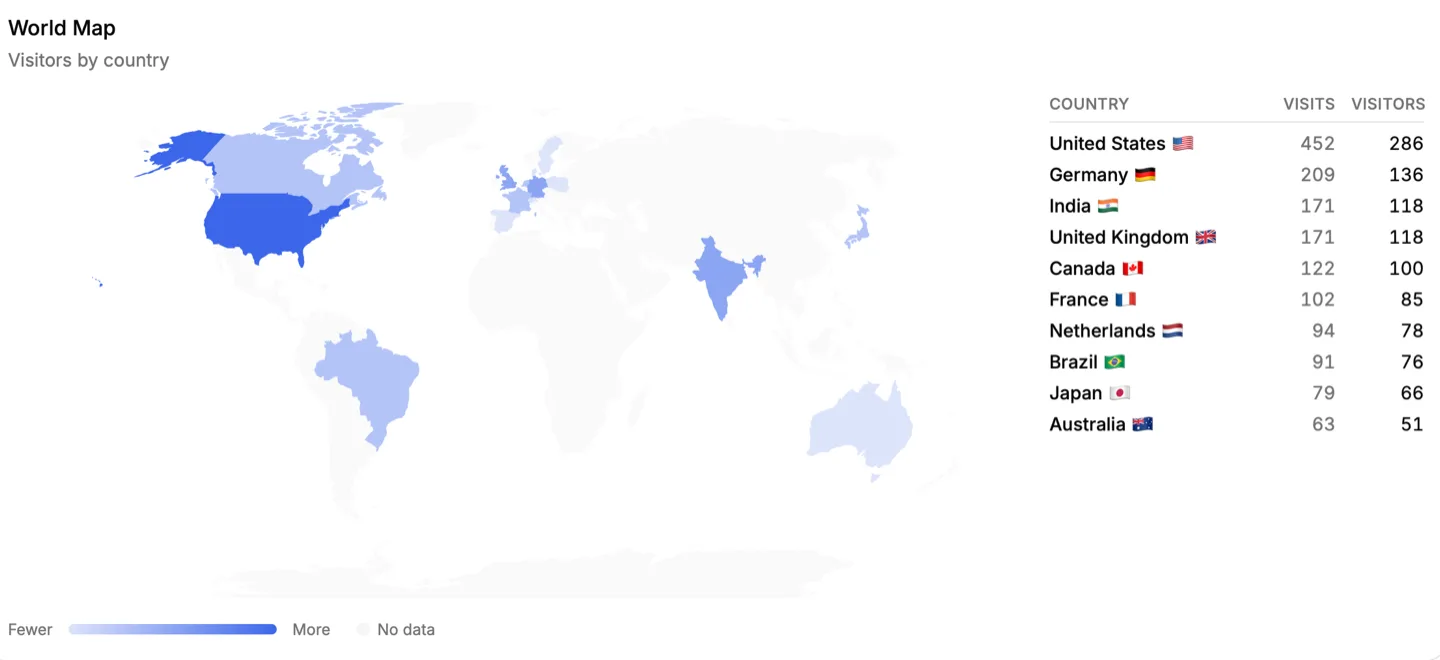
Where clicks come from
Country, region, and city for every visit, plotted on a world map you can scan in seconds.
Follow a link all the way down
From one short URL, see who clicked, where they came from, and what they used.
- Visits and unique visitors, charted day by day
- Country, region, and city, with a world map
- Browser, OS, and device mix, plus ranked referrers
- All six UTM parameters per link — optionally forwarded to the destination
- Bots and link-preview unfurlers are filtered out
Privacy-first by design
Your data stays on your infrastructure, and the data shrl.io records can't identify a person.
No IPs, ever
Visitor identity is a hash of the link, the day, the IP, and the user agent — the address itself is never written. Only derived locations and aggregate counts are stored.
Sub-millisecond redirects
The redirector answers 302s straight from a Redis cache, so the database never sits on the redirect hot path.
Secure by default
Destinations must be http(s), with private and loopback addresses rejected. Redirects and the API rate-limit per IP, per link, and per key — excess requests get a 429 with Retry-After.
Built for scripts and CI
The public Auth API serves everything but deletion for personal and team links. Every request carries an API key you create on the Profile page — shown once, revocable anytime.
- Create, read, update, and enable/disable links — plus analytics: totals, timeseries, and top-N breakdowns
- Rate-limited per key (300 reads/min, 30 writes/min) and per IP (60/min); excess requests get a 429 with Retry-After
- No delete endpoint by design — deletion stays in the UI
curl -X POST http://localhost:8083/v1/links \
  -H "Authorization: Bearer <your-api-key>" \
  -H "Content-Type: application/json" \
  -d '{"base_url":"http://localhost:8080","destination":"https://example.com"}'
The base_url must be a registered one — admins manage the registry — and defaults to the redirector's public URL.
Your links, your servers
shrl.io runs on infrastructure you control. No third-party service sits between you and your click data.
Deploy
One compose file brings up the whole stack with Docker or Podman, on a VPS, a home lab, or an internal network.
Connect your domain
Point a short domain at it. Every link you create uses it from then on.
Share and measure
Create links in the dashboard and watch visits, referrers, and geography roll in.
Start shortening on your own domain
Grab the compose file, export two secrets, and bring up the full stack: redirector, UI, analytics worker, PostgreSQL, and Redis.
curl -O https://raw.githubusercontent.com/barats/shrl-io/main/compose.yaml
export SHRL_API_INTERNAL_SECRET="$(openssl rand -hex 32)"
export SHRL_SESSION_SECRET="$(openssl rand -hex 32)"
podman compose up -d
Then sign in at localhost:8082 with the first-run admin account. The same file works with Docker Compose: swap podman for docker.